Setting Up Your AI Blog Writing Workflow: From Zero to Published
A comprehensive guide to building an efficient AI-powered blog workflow that scales. Learn automation, tools, and best practices for consistent content creation.
Jump to section
Content teams in 2026 face an impossible challenge: create more content, with higher quality, using fewer resources. The solution isn’t working harder — it’s building workflows that amplify what humans do best.
This guide walks you through building an AI blog writing workflow from scratch, using proven frameworks that scale from solo creators to enterprise teams.
Why You Need an AI Blog Workflow
The old way of blogging doesn’t scale:
Manual Process: Brainstorm → Research (2-3 hours) → Write draft (3-4 hours) → Edit (1-2 hours) → Optimize for SEO (1 hour) → Create images → Schedule → Publish
Total time: 8-12 hours per post
AI Workflow: Input topic → Automated research + drafting (30 mins) → Human refinement (1-2 hours) → One-click publish
Total time: 2-3 hours per post
The teams winning with AI aren’t the ones replacing writers entirely. They’re the ones who strategically automate the tedious parts (research, first drafts, SEO checks) so humans can focus on the parts that matter (strategy, voice, nuance).
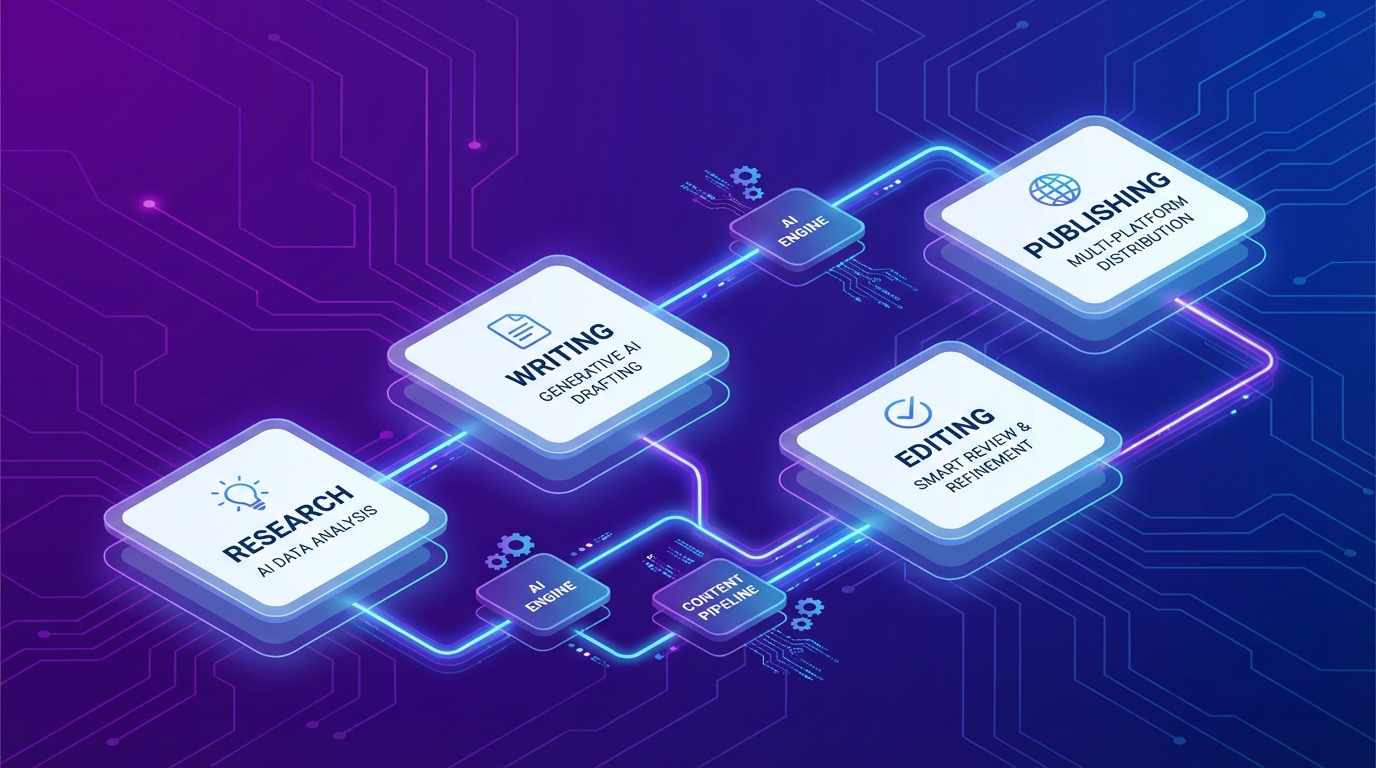
The 4-Phase AI Content Workflow
Every successful AI blog workflow follows this pattern:
Phase 1: Planning & Ideation
What AI Does:
- Generates 50+ topic ideas based on your niche
- Analyzes keyword difficulty and search volume
- Identifies content gaps in your existing content
- Suggests optimal content formats for each topic
What Humans Do:
- Select topics that align with business goals
- Determine content strategy and priorities
- Set brand voice and style guidelines
Phase 2: Research & Intelligence
What AI Does:
- Pulls statistics, quotes, and data points
- Analyzes top-ranking competitor content
- Generates keyword clusters and semantic variations
- Identifies trending subtopics and related queries
What Humans Do:
- Verify factual accuracy of AI research
- Add first-hand experience and expertise
- Select data points that support your unique angle
Phase 3: Drafting & Creation
What AI Does:
- Generates section-by-section drafts
- Creates multiple headline variations
- Writes meta descriptions optimized for CTR
- Suggests internal linking opportunities
What Humans Do:
- Refine AI drafts with brand voice
- Add unique insights and examples
- Ensure logical flow and narrative structure
- Inject personality and authenticity
Phase 4: Refinement & Optimization
What AI Does:
- SEO optimization (keyword density, headings, structure)
- Readability scoring and improvement suggestions
- Grammar and style consistency checks
- Image alt text and schema markup generation
What Humans Do:
- Final quality review
- Approve for publishing
- Add calls-to-action aligned with goals
- Schedule for optimal timing
Choosing Your Automation Platform
The three dominant platforms have distinct strengths:
| Platform | Best For | Pricing Model | Complexity Level |
|---|---|---|---|
| Zapier | Simple automations, non-technical users | Per-task (expensive at scale) | Beginner |
| Make.com | Visual workflows, moderate complexity | Operations-based (better value) | Intermediate |
| n8n | Custom code, high-volume workflows | Per-execution (unlimited steps) | Advanced |
Zapier: The Quick Start
Pros:
- 8,000+ integrations (most in industry)
- Fastest setup time (minutes)
- No technical knowledge required
- Best for simple point-to-point connections
Cons:
- Task-based pricing gets expensive fast
- Limited logic and branching
- Not ideal for complex multi-step workflows
Best for: Solo creators and small teams starting with basic automations (1-5 steps).
Make.com: The Visual Builder
For a complete tutorial on building AI content workflows with Make.com, see our dedicated guide on AI content workflows with Make.com.
Pros:
- Intuitive visual interface
- Better pricing than Zapier for complex workflows
- Good balance of power and accessibility
- Strong European data privacy standards
Cons:
- Smaller integration library than Zapier
- Operations-based pricing can be confusing initially
- Less flexible than n8n for custom logic
Best for: Growing teams running moderately complex workflows (5-15 steps) who want visual design without code.
n8n: The Advanced Choice
Pros:
- Unlimited steps per execution (flat pricing)
- Self-hosted option for data control
- Custom JavaScript/Python code nodes
- Best for high-volume content production
Cons:
- Steeper learning curve
- Requires infrastructure management (if self-hosted)
- More technical setup required
Best for: Technical teams, agencies, or anyone running high-volume workflows (100+ articles/month) where per-task pricing would be prohibitive.
Still deciding between platforms? Our in-depth Zapier vs Make.com comparison for AI content automation covers all the key differences.
Building Your First AI Blog Workflow
Let’s build a practical workflow from scratch using Make.com (the principles apply to any platform).
Step 1: Set Up Your Tool Stack
Required:
- AI writing assistant (ChatGPT API, Claude API, or Anthropic)
- Automation platform (Make.com account)
- CMS connection (WordPress, Ghost, Webflow)
Recommended:
- SEO tool API (Ahrefs, SEMrush, or Google Search Console)
- Image generator (DALL-E, Midjourney, or Fal.ai)
- Project management (Notion, Airtable for content calendar)
Step 2: Create Your Keyword Research Automation
Trigger: New row added to content calendar (Airtable/Notion)
Actions:
- Extract seed keyword from calendar entry
- Send keyword to SEO tool API for data
- Pass keyword + data to AI for topic expansion
- Return 10 related keywords with search volume
- Update calendar entry with keyword cluster
Time saved: 2 hours of manual keyword research per post
Step 3: Build Your Content Generation Flow
Trigger: Keyword research marked complete
Actions:
- AI analyzes top 10 ranking articles for target keyword
- AI generates comprehensive outline (H2s and H3s)
- AI writes introduction (with human approval checkpoint)
- AI writes each section sequentially (5-7 sections)
- AI generates 3 title variations
- AI creates meta description
- Save complete draft to Google Docs
Time saved: 3-4 hours of writing per post
Step 4: Add Optimization & Publishing
Trigger: Draft moved to “Ready for Review” in Docs
Actions:
- AI runs SEO audit (keyword usage, headings, structure)
- AI suggests 3-5 internal link opportunities
- AI generates schema markup (Article, FAQ)
- AI creates image prompt for hero image
- Generate hero image via DALL-E/Midjourney
- Human reviews and approves
- Auto-publish to WordPress (or save as draft)
Time saved: 1-2 hours of optimization per post
Step 5: Monitor & Iterate
Ongoing:
- Track time savings vs. manual process
- Monitor content performance (rankings, traffic)
- Refine prompts based on output quality
- Add new automation modules as needs grow
Advanced Workflow Patterns
Once your basic workflow is running, add these enhancements:
Batch Content Generation
Create 5-10 related articles in one automation run:
- Input topic cluster (e.g., “email marketing”)
- AI generates 10 related article ideas
- Workflow loops through each idea
- Generates outlines, drafts, and optimizations in parallel
- Outputs 10 publication-ready articles
Result: 30 minutes of human input → 5-10 complete articles
Multi-Tool AI Refinement
Use multiple AI models for different strengths:
- Claude for initial drafting (strong at following instructions)
- ChatGPT for SEO optimization (trained on search behavior)
- GPT-4 for final quality review (best reasoning)
This multi-pass approach significantly improves output quality.
Automatic Content Refresh
Keep existing content fresh:
- Trigger: Monthly check of articles >6 months old
- AI analyzes current ranking and traffic
- If declining, AI researches new data/stats
- AI updates outdated sections
- Human reviews changes
- Re-publish with “Updated [Date]” badge
Workflow Best Practices
Start With One Content Type
Don’t try to automate everything at once:
Week 1-2: Blog posts only (prove the workflow) Week 3-4: Add social media snippets from blog content Month 2: Add email newsletter generation Month 3+: Expand to videos, podcasts, case studies
Design Your Prompt Library
Create reusable prompts for consistency:
Outline Generation Prompt:
Topic: {keyword}Target audience: {audience}Content goal: {goal}Competitor analysis: {top_3_articles}
Create a comprehensive outline including:- Hook introduction- 5-7 main sections (H2)- 3-4 subsections per H2 (H3)- Conclusion with CTA
Ensure the outline:1. Covers all subtopics in competitor content2. Adds unique angles they missed3. Follows a logical progression4. Targets search intent: {intent}
Section Writing Prompt:
Write the "{section_title}" section of an article about {topic}.
Guidelines:- Conversational but professional tone- 2-3 sentence paragraphs maximum- Include a specific example or data point- Use active voice- No fluff or generic statements- 200-300 words
Context from previous sections: {context}
Maintain Quality Control
Build these checkpoints into your workflow:
- Fact-checking: Verify all statistics and claims
- Plagiarism check: Run through Copyscape or similar
- Brand voice review: Does it sound like your brand?
- SEO audit: Are keywords naturally integrated?
- Link verification: Do all links work?
Measure What Matters
Track these metrics monthly:
| Metric | Target | What It Tells You |
|---|---|---|
| Time per article | 2-3 hours | Workflow efficiency |
| Articles published | 20-40/month | Output volume |
| Organic traffic | +20% MoM | Content effectiveness |
| Content quality score | 8/10+ | Human review ratings |
| Publishing consistency | 90%+ on schedule | Workflow reliability |
Common Pitfalls to Avoid
Pitfall 1: Automating Too Soon
Mistake: Building a complex workflow before understanding your process
Solution: Manually create 10-20 posts first. Document every step. Then automate the repeatable parts.
Pitfall 2: Trusting AI Blindly
Mistake: Publishing AI-generated content without human review
Solution: AI is your research assistant and first draft writer, not your final editor. Always review for accuracy, brand voice, and unique insights.
Pitfall 3: Generic Prompts
Mistake: Using vague prompts like “write a blog post about X”
Solution: Create detailed prompt templates with context, examples, constraints, and desired output format.
Pitfall 4: Ignoring Iteration
Mistake: Setting up a workflow once and never refining it
Solution: Review workflow performance monthly. Refine prompts, add new tools, remove bottlenecks.
Pitfall 5: Over-Engineering
Mistake: Building a 50-step workflow with every possible feature
Solution: Start with 5-10 essential steps. Add complexity only when you hit limitations.
Real-World Workflow Example
Here’s a complete workflow used by a SaaS company publishing 40 articles/month:
Monday Morning (30 minutes):
- Add 10 keywords to content calendar (Airtable)
- Automation triggers keyword research for each
- AI generates outlines for all 10 topics
- Human reviews and approves 5 best outlines
Tuesday-Thursday (2 hours/day):
- Automation generates full drafts overnight
- Editor reviews 2 drafts per day (1 hour each)
- Adds unique insights, examples, and brand voice
- Marks as “Ready for Optimization”
Friday (2 hours):
- Automation runs SEO optimization on all approved drafts
- Generates images for each article
- Human does final quality check
- Schedules 5 articles for next week (one per day)
Result: 20 high-quality articles published monthly with 10 hours of human time.
Your 30-Day Implementation Plan
Week 1: Foundation
- Choose automation platform (Make.com recommended)
- Connect AI API (ChatGPT or Claude)
- Connect CMS (WordPress/Ghost)
- Create basic prompt library
- Test single article generation manually
Week 2: Automation
- Build keyword research automation
- Build content generation workflow
- Add human approval checkpoints
- Test with 3-5 real articles
- Document your process
Week 3: Optimization
- Add SEO optimization step
- Integrate image generation
- Set up publishing automation
- Create quality control checklist
- Process 10 articles through workflow
Week 4: Scale
- Refine prompts based on results
- Add content calendar integration
- Set up analytics tracking
- Document ROI (time saved, costs, quality)
- Train team on workflow
Skip the setup. Start publishing today.
Suparank handles the entire AI workflow — from keyword research to one-click publishing. No code, no complexity.
Next Steps: Beyond Basic Workflows
Once your blog workflow is humming, expand to:
- Social media automation — Generate Twitter threads, LinkedIn posts from blog content
- Email newsletters — Auto-create newsletters from recent articles
- Content repurposing — Turn blog posts into video scripts, podcast outlines
- Analytics integration — Auto-report on content performance
- A/B testing — Generate and test multiple versions automatically
Conclusion
The future of content isn’t AI vs. humans. It’s AI + humans working in systematic workflows that amplify what each does best.
Start small. Perfect one workflow. Then scale.
Your first automated article might take 4 hours to set up. Your hundredth will take 30 minutes. That’s the power of systematic workflows.
The teams that win in 2026 aren’t the ones with the best AI tools. They’re the ones with the best workflows. Ready to take automation even further? Learn how to automate blog writing with AI for advanced strategies.
Sources
- AddyOsmani.com - My LLM coding workflow going into 2026
- AI Content Workflow Automation: Tools & Guide 2026
- n8n AI Workflow Builder Best Practices
- n8n vs Make vs Zapier Comparison
- How to Use AI for Content Creation 2025 Guide
- The Systematic AI Content Creation Workflow Guide
- Complete Step-by-Step Guide For AI Blog Automation
- A guide to AI workflow automation from start to scale
Frequently Asked Questions
What is an AI blog writing workflow?
How long does it take to set up an AI workflow?
What tools do I need for an AI blog workflow?
Can I automate publishing completely?
Tags
More articles

AI Writer vs Human Writer: When to Use Each in 2026
AI writing is 4.7x cheaper and 10x faster than human writers, but human content gets 5.44x more traffic. Discover when to use each for maximum ROI based on 2026 performance data.


7 Best AI Content Generators for SaaS Founders in 2026
Discover the top AI content generators that help SaaS founders create SEO-optimized blog posts, marketing copy, and long-form content faster. Compare features, pricing, and real-world performance.
Best AI Writing Tools in 2026: The Definitive Guide
Discover the top AI writing tools in 2026. Compare features, pricing, and capabilities of 12+ tools including ChatGPT, Claude, Jasper, and more to find the perfect fit for your content needs.