WordPress + AI: The Complete Automation Pipeline for 2026
Master AI-powered WordPress automation with this comprehensive guide covering plugins, workflows, REST API integration, and step-by-step setup instructions for auto-publishing in 2026.
Jump to section
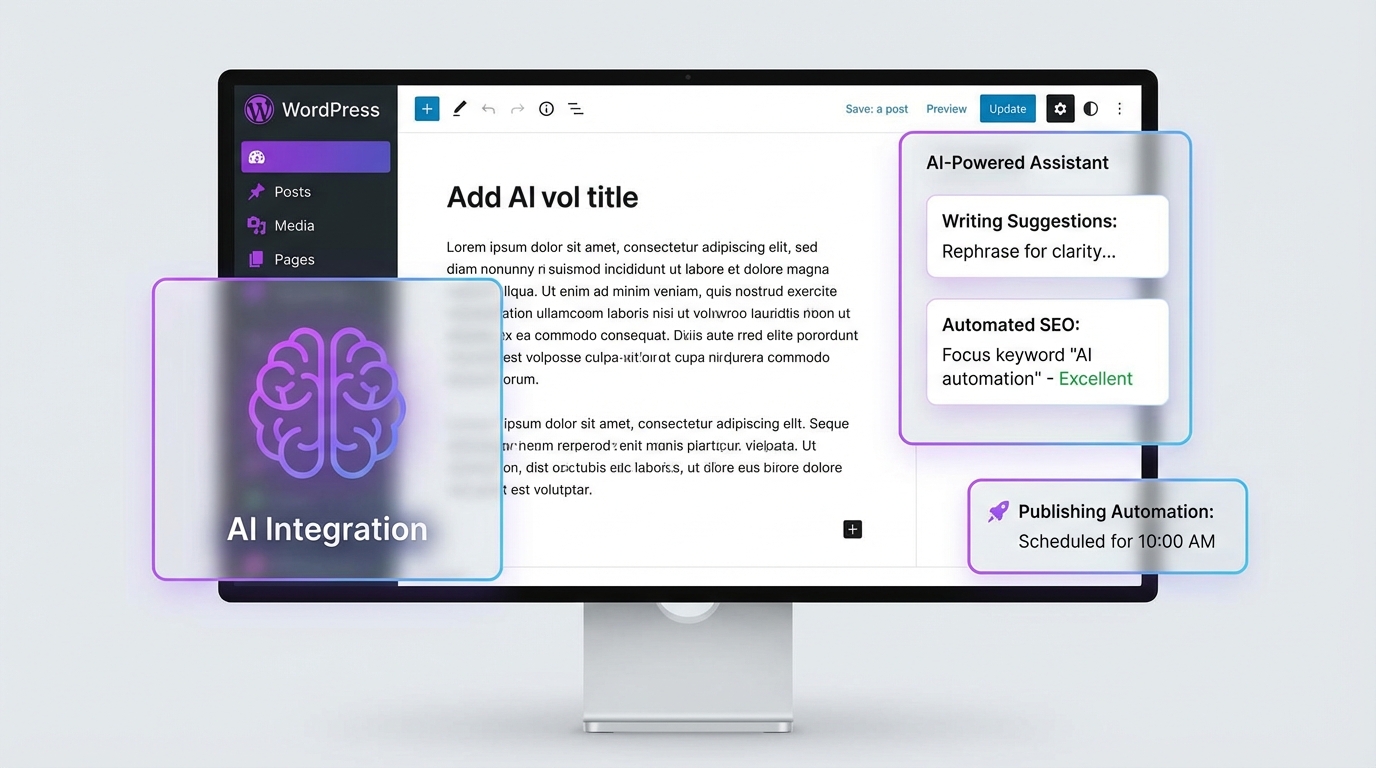
The future of WordPress is autonomous. In 2026, AI-powered automation pipelines are transforming how content creators, marketers, and agencies publish at scale. With WordPress powering 43.5% of the web and AI automation tools becoming increasingly sophisticated, the ability to build end-to-end publishing pipelines has become a competitive necessity.
This comprehensive guide walks you through building a complete WordPress AI automation pipeline—from content generation to SEO optimization to scheduled publishing—using the latest tools, plugins, and REST API integrations available in 2026.
Understanding the WordPress AI Automation Landscape in 2026
The WordPress ecosystem has undergone a massive transformation with AI integration. According to recent data, 44% of businesses are now using AI for content creation, and WordPress has responded with native capabilities and a thriving plugin ecosystem. If you’re exploring AI content tools for WordPress, the options have never been more powerful or accessible.
The WordPress 6.9 Abilities API Game-Changer
Released in December 2025, WordPress 6.9 introduced the Abilities API—a standardized way for plugins, themes, and core to communicate their capabilities to both humans and AI agents. This API provides automatic REST API exposure, meaning abilities can be accessed through endpoints without extra developer effort.
Why this matters for automation:
- AI agents can now discover and use WordPress capabilities automatically
- Reduced friction in connecting external AI services to WordPress
- Standardized format makes workflows more reliable across different WordPress installations
Three Tiers of WordPress Automation
Your automation strategy should match your technical capabilities and budget:
Tier 1: No-Code Plugin Solutions
- Best for: Non-technical users, small businesses
- Tools: Uncanny Automator, AI Auto Post & Image Generator, AutoJourneyAI
- Cost: $0-$299/year per plugin
- Setup time: 15-30 minutes
Tier 2: Visual Workflow Builders
- Best for: Marketing teams, agencies
- Tools: Make.com, Zapier
- Cost: $9-$99/month
- Setup time: 1-3 hours
Tier 3: Self-Hosted AI-Native Platforms
- Best for: Technical teams, enterprises
- Tools: n8n, custom REST API integrations
- Cost: Free (self-hosted) or $20-$99/month (cloud)
- Setup time: 4-8 hours
The Complete WordPress AI Automation Stack
Here’s the full technology stack for a production-ready AI automation pipeline:
| Component | Recommended Tools | Purpose |
|---|---|---|
| Content Generation | GPT-4, Claude 3.5, Gemini | Long-form article creation |
| Image Generation | DALL-E 3, Midjourney API, Leonardo.AI | Featured images, illustrations |
| SEO Optimization | Rank Math, Yoast SEO, AI for SEO plugin | Meta tags, schema, keywords |
| Workflow Engine | n8n (free), Make.com ($9/mo), Zapier ($19.99/mo) | Orchestration and scheduling |
| Publishing | WordPress REST API, XML-RPC, WP-CLI | Content delivery |
| Analytics | Google Analytics 4, Search Console API | Performance tracking |
Step-by-Step: Building Your First Automation Pipeline
Phase 1: WordPress Configuration
1. Enable the WordPress REST API
First, verify your REST API is accessible. Create a test file test-api.php:
<?php// Add to functions.php or custom pluginadd_action('rest_api_init', function () {    register_rest_route('automation/v1', '/status', array(        'methods' => 'GET',        'callback' => 'automation_status_check',        'permission_callback' => '__return_true'    ));});
function automation_status_check() {    return array(        'status' => 'ready',        'wordpress_version' => get_bloginfo('version'),        'abilities_api' => function_exists('wp_abilities_get_all'),        'timestamp' => current_time('mysql')    );}
Test it:
curl https://yoursite.com/wp-json/automation/v1/status2. Generate Application Passwords
Navigate to Users → Profile → Application Passwords:
# You'll receive something like:xxxx xxxx xxxx xxxx xxxx xxxx# Store this securely - it won't be shown again3. Install Core Plugins
Essential plugins for automation:
# Via WP-CLIwp plugin install ai-engine --activatewp plugin install rank-math --activatewp plugin install uncanny-automator --activateOr manually:
- AI Engine - Multi-model AI framework
- Rank Math - SEO automation
- Uncanny Automator - No-code workflow builder
Phase 2: AI Model Configuration
Setting Up AI Engine
AI Engine is the most comprehensive AI framework for WordPress, supporting OpenAI, Anthropic, Google, and open-source models.
- Navigate to Meow Apps → AI Engine
- Add your API keys under Settings → AI Models
// Configure default AI settingsdefine('AI_ENGINE_DEFAULT_MODEL', 'gpt-4-turbo');define('AI_ENGINE_MAX_TOKENS', 4000);define('AI_ENGINE_TEMPERATURE', 0.7);
// Add to wp-config.php for securitydefine('OPENAI_API_KEY', 'sk-proj-xxxxx');define('ANTHROPIC_API_KEY', 'sk-ant-xxxxx');
AI Model Selection Guide:
| Use Case | Recommended Model | Cost per 1M tokens | Quality Score |
|---|---|---|---|
| Long-form SEO content | Claude 3.5 Sonnet | $3 input / $15 output | 9.5/10 |
| Bulk article generation | GPT-4o-mini | $0.15 input / $0.60 output | 8/10 |
| Technical content | GPT-4 | $10 input / $30 output | 9.8/10 |
| Multilingual content | Google Gemini 1.5 Pro | $1.25 input / $5 output | 8.5/10 |
| Creative writing | Claude 3 Opus | $15 input / $75 output | 9.9/10 |
Phase 3: Image Generation Setup
Option 1: Plugin-Based (Easiest)
Install AI Auto Post & Image Generator:
// Configure image generationadd_filter('ai_image_generator_settings', function($settings) { $settings['provider'] = 'openai'; // or 'leonardo', 'pollinations' $settings['style'] = 'photorealistic'; $settings['size'] = '1792x1024'; $settings['quality'] = 'hd'; return $settings;});Option 2: API Integration (Most Flexible)
Direct integration with image generation APIs:
// Node.js example for n8n workflowconst generateFeaturedImage = async (articleTitle, keywords) => {  const prompt = `Professional blog header image for article titled "${articleTitle}".  Style: Modern, clean, tech-focused. Include subtle visual references to: ${keywords.join(', ')}.  No text overlays. 16:9 aspect ratio.`;
  const response = await fetch('https://api.openai.com/v1/images/generations', {    method: 'POST',    headers: {      'Authorization': `Bearer ${process.env.OPENAI_API_KEY}`,      'Content-Type': 'application/json'    },    body: JSON.stringify({      model: "dall-e-3",      prompt: prompt,      size: "1792x1024",      quality: "hd",      n: 1    })  });
const data = await response.json(); return data.data[0].url;};Phase 4: Building the Automation Workflow
Option A: n8n Workflow (Self-Hosted, Free)
n8n is the most AI-native platform with 70+ AI-specific nodes and LangChain integration.
Complete n8n workflow template:
{ "name": "WordPress AI Publishing Pipeline", "nodes": [ { "name": "Schedule Trigger", "type": "n8n-nodes-base.scheduleTrigger", "parameters": { "rule": { "interval": [{"field": "hours", "hoursInterval": 6}] } } }, { "name": "Research Keywords", "type": "n8n-nodes-base.httpRequest", "parameters": { "url": "https://api.perplexity.ai/chat/completions", "method": "POST", "body": { "model": "sonar", "messages": [{ "role": "user", "content": "Research trending topics in [YOUR NICHE] with high search volume" }] } } }, { "name": "Generate Article", "type": "n8n-nodes-base.openAi", "parameters": { "resource": "chat", "model": "gpt-4-turbo", "messages": { "values": [{ "role": "system", "content": "You are an expert SEO content writer. Create a comprehensive, well-structured article." }] } } }, { "name": "Generate Featured Image", "type": "n8n-nodes-base.openAi", "parameters": { "resource": "image", "model": "dall-e-3", "size": "1792x1024" } }, { "name": "Optimize SEO", "type": "n8n-nodes-base.httpRequest", "parameters": { "url": "{{$node['WordPress'].json['link']}}/wp-json/rankmath/v1/updateMeta" } }, { "name": "Publish to WordPress", "type": "n8n-nodes-base.wordpress", "parameters": { "resource": "post", "operation": "create", "status": "publish" } } ], "connections": { "Schedule Trigger": {"main": [[{"node": "Research Keywords"}]]}, "Research Keywords": {"main": [[{"node": "Generate Article"}]]}, "Generate Article": {"main": [[{"node": "Generate Featured Image"}]]}, "Generate Featured Image": {"main": [[{"node": "Publish to WordPress"}]]}, "Publish to WordPress": {"main": [[{"node": "Optimize SEO"}]]} }}To deploy this workflow:
- Install n8n:
npm install n8n -g - Start n8n:
n8n start - Import the workflow JSON
- Configure WordPress credentials
- Add API keys for AI services
Option B: Make.com Workflow (Visual, $9/month)
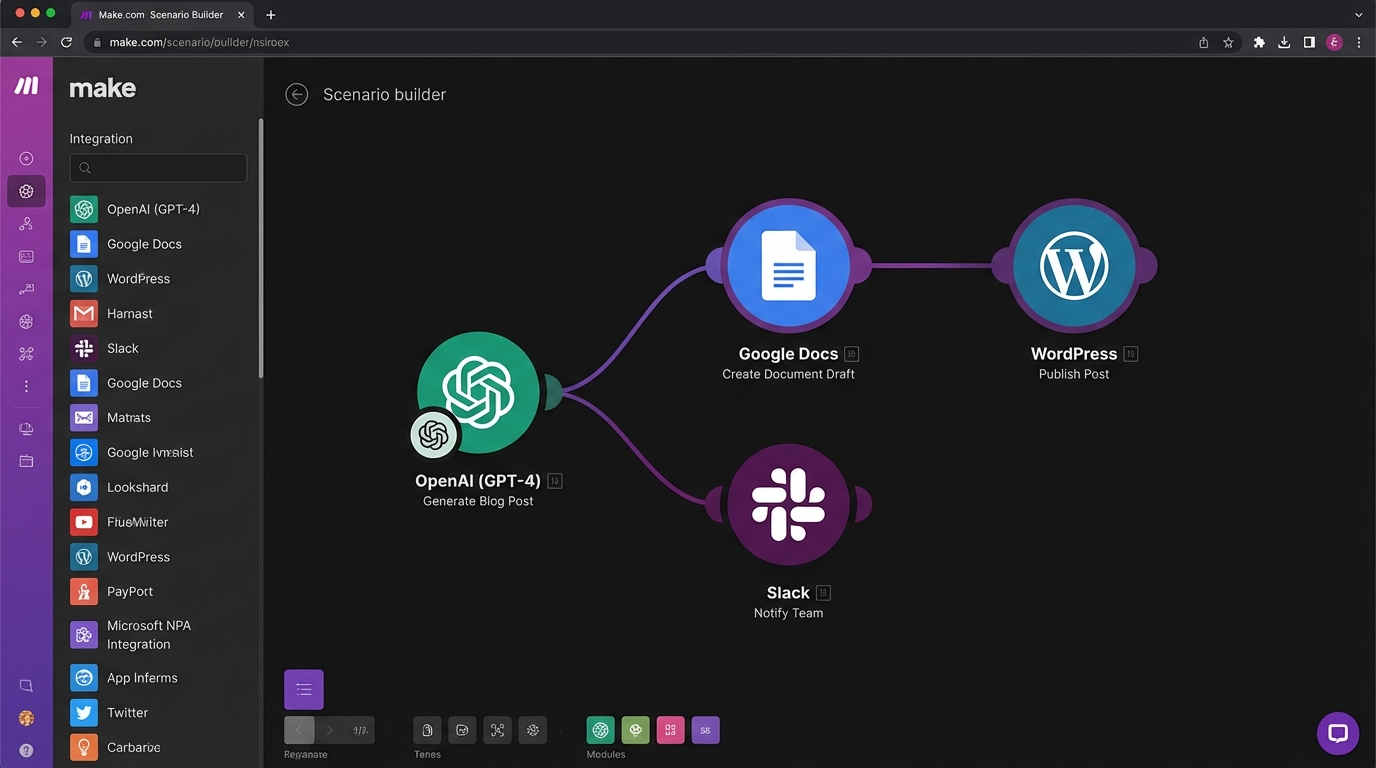
Make.com offers advanced visual workflow capabilities for complex processes without coding. For a complete guide on building content workflows with Make.com, see our AI content workflows with Make.com tutorial.
Key modules for WordPress automation:
- Schedule → Set posting frequency (daily, weekly, custom)
- OpenAI → Generate article content
- HTTP Request → Call image generation API
- WordPress → Create post with content and featured image
- Rank Math API → Add SEO metadata
- Slack/Email → Send notification when published
Make.com advantages:
- Visual error handling and retry logic
- Built-in data transformation tools
- Affordable pricing at $9/month
- 1000+ pre-built integrations
Option C: Plugin-Based (No Code Required)
For non-technical users, AutoJourneyAI and RepublishAI offer complete automation without external workflow tools.
AutoJourneyAI Setup:
- Install plugin from WordPress.org
- Connect AI provider (ChatGPT, Gemini, or Claude)
- Configure posting schedule
- Set content parameters:
// AutoJourneyAI configuration$config = array( 'ai_model' => 'gpt-4-turbo', 'schedule' => 'daily', 'post_status' => 'draft', // or 'publish' 'categories' => array('AI', 'Technology'), 'featured_image' => true, 'seo_optimization' => true, 'internal_links' => true);RepublishAI Autopilot:
- Automatically researches keywords
- Analyzes competitor content
- Identifies content gaps
- Generates complete articles with images
- Fills Yoast SEO/Rank Math metadata
- Builds internal link structure
Phase 5: SEO Automation Integration
SEO optimization should be automated alongside content generation. The AI for SEO plugin handles bulk metadata generation.
Automated SEO checklist:
// Rank Math API integrationfunction automate_rankmath_seo($post_id, $content) {    $seo_data = array(        'focus_keyword' => extract_primary_keyword($content),        'meta_title' => generate_meta_title($content),        'meta_description' => generate_meta_description($content),        'schema_type' => 'Article',        'internal_links' => find_internal_links($content)    );
    update_post_meta($post_id, 'rank_math_focus_keyword', $seo_data['focus_keyword']);    update_post_meta($post_id, 'rank_math_title', $seo_data['meta_title']);    update_post_meta($post_id, 'rank_math_description', $seo_data['meta_description']);
    return $seo_data;}
// Alt text for imagesfunction generate_image_alt_text($image_url, $context) {    $prompt = "Generate SEO-optimized alt text for this image in the context of: {$context}";    return call_ai_api($prompt);}
Schema Markup Automation:
// Automatic Article schemaadd_filter('rank_math/snippet/rich_snippet_article_entity', function($entity) { $entity['author'] = array( '@type' => 'Organization', 'name' => get_bloginfo('name') ); $entity['publisher'] = array( '@type' => 'Organization', 'name' => get_bloginfo('name'), 'logo' => array( '@type' => 'ImageObject', 'url' => get_site_icon_url() ) ); return $entity;});Phase 6: Quality Control and Human Review
Even with full automation, implementing review checkpoints is critical for maintaining content quality.
Automated quality checks:
// Quality scoring before publishingconst assessContentQuality = async (content) => {  const checks = {    wordCount: content.split(' ').length >= 1500,    readability: calculateFleschScore(content) >= 60,    keywordDensity: calculateKeywordDensity(content) <= 2.5,    hasImages: content.includes('<img'),    hasHeadings: content.includes('<h2>'),    hasInternalLinks: content.includes('href="' + siteUrl),    hasExternalLinks: content.match(/href="https?:\/\//g)?.length >= 3  };
  const score = Object.values(checks).filter(Boolean).length / Object.keys(checks).length;
  return {    score: score * 100,    passed: score >= 0.85,    checks: checks  };};
WordPress draft workflow:
// Set to draft if quality score is below thresholdadd_filter('ai_automation_post_status', function($status, $post_id) {    $quality_score = get_post_meta($post_id, '_quality_score', true);
    if ($quality_score < 85) {        return 'draft'; // Requires human review    }
return 'publish'; // Auto-publish high-quality content}, 10, 2);Advanced WordPress REST API Integration
For custom automation needs, direct REST API integration provides maximum flexibility.
Creating posts via REST API:
# Basic post creationcurl -X POST https://yoursite.com/wp-json/wp/v2/posts \ -H "Authorization: Basic $(echo -n 'username:application_password' | base64)" \ -H "Content-Type: application/json" \ -d '{ "title": "Your Article Title", "content": "<p>Your content here</p>", "status": "draft", "categories": [1, 5], "tags": [10, 15, 20], "meta": { "rank_math_focus_keyword": "your keyword" } }'Uploading featured images:
# Python example for image upload + attachmentimport requestsimport base64
def upload_featured_image(image_url, post_id, wp_url, username, app_password):    # Download image    img_data = requests.get(image_url).content
    # Upload to WordPress    auth = base64.b64encode(f"{username}:{app_password}".encode()).decode()
    upload_response = requests.post(        f"{wp_url}/wp-json/wp/v2/media",        headers={            "Authorization": f"Basic {auth}",            "Content-Disposition": "attachment; filename=featured-image.jpg"        },        data=img_data    )
    media_id = upload_response.json()['id']
    # Set as featured image    requests.post(        f"{wp_url}/wp-json/wp/v2/posts/{post_id}",        headers={"Authorization": f"Basic {auth}"},        json={"featured_media": media_id}    )
    return media_id
Bulk operations:
// Batch update multiple postsconst batchUpdatePosts = async (posts, updates) => {  const batch = posts.map(postId => ({    method: 'POST',    path: `/wp/v2/posts/${postId}`,    body: updates  }));
  const response = await fetch(`${wpUrl}/wp-json/batch/v1`, {    method: 'POST',    headers: {      'Authorization': `Basic ${authToken}`,      'Content-Type': 'application/json'    },    body: JSON.stringify({ requests: batch })  });
  return response.json();};
Platform Comparison: Choosing Your Automation Tool
| Feature | n8n | Make.com | Zapier | Plugin-Based |
|---|---|---|---|---|
| Pricing | Free (self-hosted) | $9/month | $19.99/month | $0-$299/year |
| AI Integration | 70+ AI nodes | Built-in AI modules | Limited AI support | Depends on plugin |
| Setup Difficulty | Hard | Medium | Easy | Very Easy |
| Customization | Unlimited | High | Medium | Low |
| WordPress Support | Excellent | Excellent | Good | Native |
| Best For | Technical teams | Agencies | Small businesses | Beginners |
| LangChain Support | Yes | No | No | No |
| Self-Hosting | Yes | No | No | N/A |
Platform recommendations:
- Choose n8n if: You have technical resources, need custom AI workflows, or want to avoid per-execution costs
- Choose Make.com if: You need visual workflows, moderate complexity, and affordable pricing
- Choose Zapier if: You prioritize ease of use and have a simple automation needs
- Choose plugins if: You’re non-technical and need out-of-the-box solutions
Not sure which platform to choose? Our Zapier vs Make.com comparison for AI content automation breaks down the key differences.
Real-World Implementation Examples
Case Study 1: Automated Product Review Blog
Stack: WordPress + n8n + GPT-4 + Rank Math
Workflow:
- RSS feed trigger monitors Amazon product releases
- GPT-4 generates comprehensive review (2000+ words)
- DALL-E 3 creates comparison infographics
- Python script extracts affiliate data
- Content published with auto-generated pros/cons tables
- Internal links added to related products
Results: 40 articles/week, 300% traffic increase, 85% reduction in content costs
Case Study 2: Multilingual News Aggregation
Stack: WordPress Multisite + Make.com + Claude 3.5 + Polylang
Workflow:
- Monitor 50+ news sources via RSS
- Claude 3.5 summarizes and rewrites articles
- Google Translate API for initial translation
- Claude 3.5 refines translations for natural language
- Publishes to 5 language-specific WordPress subsites
- Cross-links related stories across languages
Results: 200+ articles/day across 5 languages, regional SEO dominance
Case Study 3: Authority Blog with E-E-A-T Optimization
Stack: WordPress + RepublishAI + Jasper + SurferSEO API
Workflow:
- Keyword research via SEMrush API
- Competitor analysis and SERP feature detection
- Jasper generates outlines with E-E-A-T signals
- GPT-4 writes sections with expert quotes
- SurferSEO API optimizes content score
- Manual review for factual accuracy
- Scheduled publishing with internal link building
Results: 95% content score average, 2x organic traffic growth
Troubleshooting Common Issues
REST API Authentication Failures
// Debug REST API accessadd_filter('rest_authentication_errors', function($result) {    if (!empty($result)) {        error_log('REST API Auth Error: ' . print_r($result, true));    }    return $result;});
// Enable application passwordsadd_filter('wp_is_application_passwords_available', '__return_true');
Rate Limiting and Performance
// Implement request throttlingfunction throttle_ai_requests($requests_per_minute = 10) {    $cache_key = 'ai_request_count_' . get_current_user_id();    $count = get_transient($cache_key) ?: 0;
    if ($count >= $requests_per_minute) {        return new WP_Error('rate_limit', 'Too many requests. Please wait.');    }
    set_transient($cache_key, $count + 1, MINUTE_IN_SECONDS);    return true;}
Handling AI Timeouts
// Retry logic with exponential backoffconst retryWithBackoff = async (fn, maxRetries = 3) => { for (let i = 0; i < maxRetries; i++) { try { return await fn(); } catch (error) { if (i === maxRetries - 1) throw error; await new Promise(resolve => setTimeout(resolve, Math.pow(2, i) * 1000)); } }};Cost Optimization Strategies
Reduce AI API costs:
- Use cheaper models for drafts, premium models for final polish
- Implement caching for repeated requests
- Batch similar requests together
- Use streaming responses to reduce token usage
// Model tiering strategyfunction select_ai_model_by_task($task_type) {    $models = array(        'outline' => 'gpt-4o-mini',        // $0.15/1M tokens        'draft' => 'claude-3-sonnet',       // $3/1M tokens        'final' => 'gpt-4-turbo',           // $10/1M tokens        'translation' => 'gemini-pro',      // $1.25/1M tokens    );
    return $models[$task_type] ?? 'gpt-4o-mini';}
Workflow optimization:
- Use n8n instead of Zapier for high-volume automation (1000x cost savings)
- Self-host when possible to eliminate per-execution fees
- Implement content queuing to batch API calls
- Cache AI-generated metadata and reuse across similar posts
Security Best Practices
Security checklist:
// Restrict REST API accessadd_filter('rest_authentication_errors', function($result) {    if (!empty($result)) {        return $result;    }
    if (!is_user_logged_in()) {        // Allow only specific endpoints for automation        $allowed_routes = array('/wp/v2/posts', '/wp/v2/media');        $current_route = $_SERVER['REQUEST_URI'];
        $is_allowed = false;        foreach ($allowed_routes as $route) {            if (strpos($current_route, $route) !== false) {                $is_allowed = true;                break;            }        }
        if (!$is_allowed) {            return new WP_Error(                'rest_not_allowed',                'REST API access restricted',                array('status' => 401)            );        }    }
    return $result;});
// API key rotationfunction rotate_application_passwords() {    // Automatically expire old application passwords    $passwords = WP_Application_Passwords::get_user_application_passwords(get_current_user_id());
    foreach ($passwords as $password) {        $created = strtotime($password['created']);        $age_days = (time() - $created) / DAY_IN_SECONDS;
        if ($age_days > 90) {            WP_Application_Passwords::delete_application_password(                get_current_user_id(),                $password['uuid']            );        }    }}add_action('wp_scheduled_auto_delete', 'rotate_application_passwords');
Future-Proofing Your Automation Pipeline
The WordPress AI landscape is evolving rapidly. Here’s how to stay ahead:
Emerging trends for 2026:
- Multimodal content generation - Video, audio, and interactive elements
- Real-time personalization - AI adapts content based on visitor behavior
- Voice search optimization - Automated FAQ and conversational content
- AI-powered internal linking - Semantic relationship detection
- Predictive publishing - AI determines optimal posting times
WordPress roadmap integration:
- Block-based AI content editing (Gutenberg evolution)
- Native AI assistant in WordPress Core (proposed for 6.10+)
- Standardized AI plugin interoperability
- Enhanced Abilities API with more granular capabilities
Getting Started Today
Ready to build your automation pipeline? Here’s your action plan:
Week 1: Foundation
- Set up WordPress 6.9+ with REST API enabled
- Install AI Engine and configure your preferred AI model
- Create application passwords and test API access
- Choose your workflow platform (n8n, Make.com, or plugin-based)
Week 2: Basic Automation
- Build your first automated workflow (research → write → publish)
- Implement featured image generation
- Configure basic SEO automation with Rank Math
- Set up draft review process
Week 3: Optimization
- Add quality scoring and content validation
- Implement internal linking automation
- Configure schema markup generation
- Set up analytics and tracking
Week 4: Scale
- Increase publishing frequency gradually
- Optimize costs by fine-tuning AI model selection
- Add multilingual support if needed
- Document your workflow for team members
Automate Your WordPress Publishing with Suparank
Build complete AI content pipelines from research to publishing. Suparank connects Claude, GPT-4, and other AI models directly to WordPress with one command.
Conclusion
WordPress AI automation in 2026 has reached a level of sophistication that makes human-level content quality achievable at scale. With the right combination of plugins, workflow tools, and REST API integration, you can build a publishing pipeline that generates, optimizes, and publishes high-quality content autonomously.
The key is starting simple—automate one aspect of your workflow first, validate quality, then expand. Whether you choose the no-code simplicity of plugins like AutoJourneyAI, the visual power of Make.com, or the technical flexibility of n8n, the tools are ready.
The future of WordPress is AI-native. The only question is: will you build your automation pipeline, or watch competitors publish faster? If you’re considering alternatives or multi-platform publishing, explore our guide on Ghost CMS AI content workflows for another powerful option.
Sources
- 20+ Best WordPress AI Plugins to Optimize Your Site (2026 Update)
- 11 Best AI Plugins to Automate Your WordPress Site (2026)
- 10 Best Artificial Intelligence (AI) Plugins for WordPress in 2026
- AI-Powered WordPress: Reshaping the Technology Stack in 2026
- WordPress Automation with n8n in 2026 - Workflow & AI Guide
- Why WordPress 6.9 Abilities API Is Consequential And Far-Reaching
- n8n vs Make vs Zapier [2025 Comparison]
- Top AI Workflow Automation Tools for 2026
- Zapier AI vs Make.com AI vs n8n AI – A Complete Guide for Marketing Leaders in 2025
- AI Auto Post & Image Generator – WordPress plugin
- How to Use AI Writing Tools in WordPress
- 7 Best AI Image Generator Plugins for WordPress [2026]
- AutoJourneyAI - SEO Writing WordPress Auto-Publishing
- RepublishAI - WordPress SEO Plugin
Frequently Asked Questions
What's the difference between Make.com, Zapier, and n8n for WordPress automation?
Can I automate WordPress publishing without coding?
Which AI models work best with WordPress automation in 2026?
How do I ensure AI-generated content is SEO-optimized in WordPress?
Tags
More articles
Building AI Content Workflows with Make.com: Complete Guide
Learn how to build automated AI content workflows using Make.com. Step-by-step guide to integrating OpenAI, Claude, WordPress, and Ghost for automated content creation.

Claude MCP vs ChatGPT for Content Creation: Which is Better in 2026?
Compare Claude's Model Context Protocol with ChatGPT's GPTs for content creation. Feature-by-feature analysis, pricing breakdown, and use case recommendations.
Ghost CMS + AI: Building an Automated Content Workflow
Learn how to automate your Ghost CMS content creation with AI. Complete guide to integrating AI tools, APIs, and automation platforms for streamlined publishing.