Ghost CMS + AI: Building an Automated Content Workflow
Learn how to automate your Ghost CMS content creation with AI. Complete guide to integrating AI tools, APIs, and automation platforms for streamlined publishing.
Jump to section
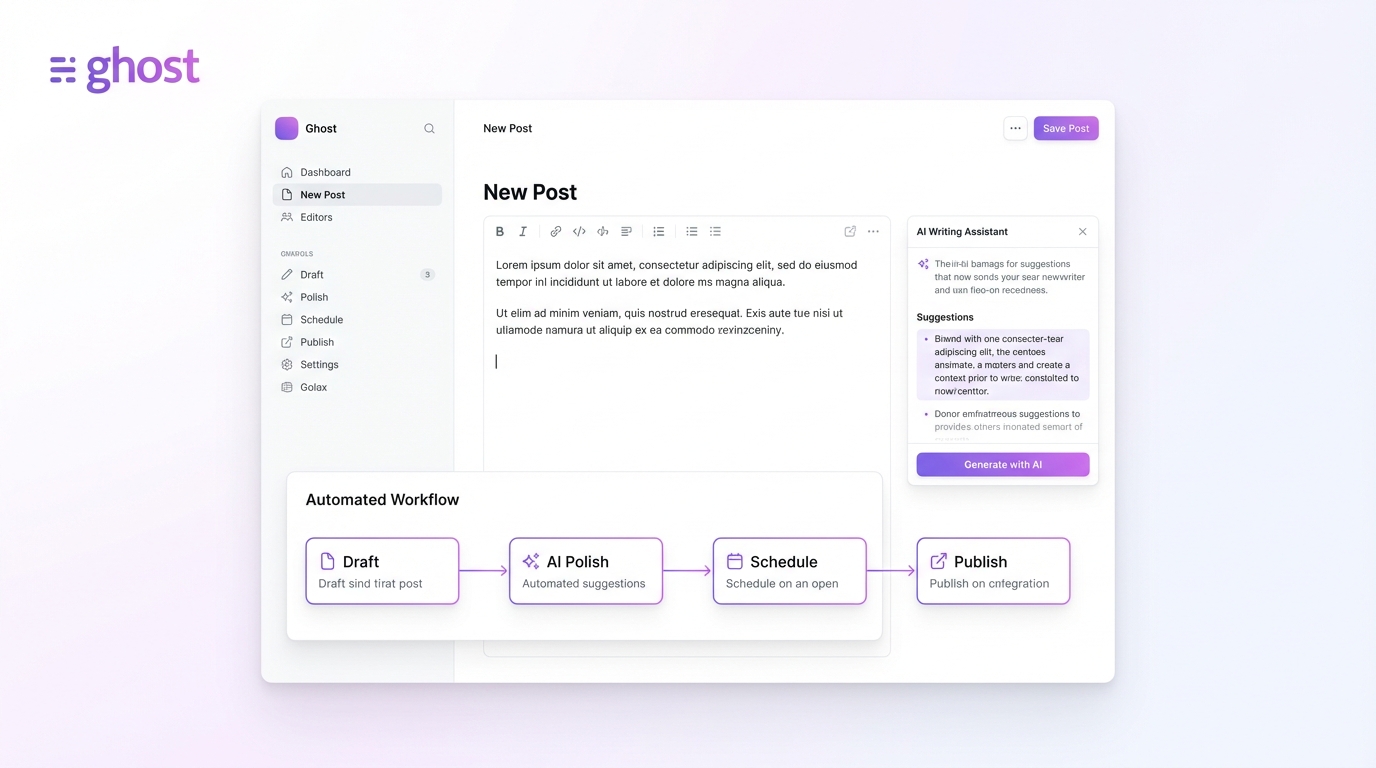
Modern content teams face mounting pressure to publish more, faster, without sacrificing quality. Ghost CMS, combined with AI-powered automation, offers a solution that streamlines your entire content workflow from ideation to publication.
This comprehensive guide walks you through building an automated content system using Ghost CMS, AI integrations, and automation platforms. Whether you’re managing a solo blog or coordinating a content team, you’ll learn practical strategies to scale your publishing operation. If you’re using WordPress instead, check out our WordPress AI automation guide for platform-specific strategies.
Why Ghost CMS for Automated Content Workflows?
Ghost CMS has emerged as the go-to platform for publishers who prioritize speed, simplicity, and modern architecture. Built on Node.js rather than PHP, Ghost delivers exceptional performance without the plugin bloat that plagues traditional content management systems.
The Ghost Architecture Advantage
Ghost’s modern architecture provides several key benefits for automation:
Performance by Default: Ghost typically scores 90+ on Google PageSpeed Insights without modifications. The platform serves content as a statically rendered site through dynamic means, eliminating the heavy PHP execution layer that slows down WordPress sites.
API-First Design: Ghost was built with automation in mind. Both the Content API (read-only) and Admin API (full CRUD operations) provide comprehensive access to your publication’s resources without complicated authentication flows.
Minimal Dependencies: Unlike WordPress, which often requires dozens of plugins to achieve similar functionality, Ghost’s opinionated design means you can accomplish more with less complexity. This reduces maintenance overhead and potential points of failure in automated workflows.
Modern JavaScript Ecosystem: Built on Node.js, Ghost integrates naturally with contemporary development tools, serverless functions, and JavaScript-based automation platforms.
Understanding Ghost’s API Ecosystem
Before diving into automation, you need to understand Ghost’s two primary APIs and how they enable different types of workflows.
Content API: Read-Only Access
The Ghost Content API delivers published content to any client in a read-only manner. This API is perfect for:
- Displaying blog posts on external sites or apps
- Building custom front-ends (headless CMS approach)
- Creating content aggregators or newsletters
- Feeding data to analytics systems
Authentication: Content API uses a simple API key that you generate in Ghost Admin under Integrations > Custom Integrations. Access control is minimal since it only exposes published content.
Typical Use Case: Fetching your latest 5 blog posts to display on your marketing website’s homepage.
Admin API: Full Control
The Ghost Admin API provides complete programmatic access to your Ghost installation. With proper authentication, you can:
- Create, read, update, and delete posts and pages
- Manage members and subscription tiers
- Upload images and media files
- Configure tags and internal routing
- Execute bulk operations
- Manage user accounts and permissions
Authentication: Admin API requires an API key and JWT token generation for secure access. This ensures only authorized applications can modify your content.
Typical Use Case: Automatically publishing AI-generated blog posts complete with featured images, tags, and SEO metadata.
Getting Your API Credentials
Setting up API access takes less than two minutes:
- Log into your Ghost Admin panel
- Navigate to Settings > Integrations
- Click Add custom integration
- Name your integration (e.g., “AI Content Automation”)
- Copy the Admin API Key and API URL
Your API URL typically follows this format: https://yourdomain.com/ghost/api/admin/
Store these credentials securely. Treat your Admin API key like a password since it grants full access to your Ghost installation.
AI Integration Options for Ghost CMS
The AI revolution has created dozens of tools that can enhance your Ghost workflow. Here’s a breakdown of the most effective options and their ideal use cases.
1. OpenAI (GPT-4, ChatGPT API)
Best For: Custom automation workflows, programmatic content generation, SEO optimization
OpenAI’s GPT models integrate with Ghost through custom scripts or automation platforms. You can build sophisticated workflows that:
- Generate first drafts based on topic briefs
- Rewrite existing content for different audiences
- Create meta descriptions and SEO titles
- Generate FAQ sections from long-form content
Integration Method: Use the OpenAI API in conjunction with the Ghost Admin API. Your workflow generates content via OpenAI, then publishes it to Ghost programmatically.
// Example: AI-generated content to Ghostconst openai = new OpenAI({ apiKey: process.env.OPENAI_API_KEY });
// Generate contentconst completion = await openai.chat.completions.create({  model: "gpt-4",  messages: [{ role: "user", content: "Write a 500-word article about..." }]});
// Publish to Ghostconst post = await ghostAdminAPI.posts.add({ title: "Your Generated Title", html: completion.choices[0].message.content, status: "draft"});2. Junia AI
Best For: One-click publishing, SEO-focused content, Ghost-native integration
Junia AI offers purpose-built Ghost integration with SEO suggestions specifically designed for Ghost users. The platform provides:
- Direct Ghost publishing (no API configuration required)
- Keyword research and optimization
- SEO-friendly meta descriptions
- Content outline generation
Standout Feature: Junia’s Ghost integration includes automatic tag assignment based on content analysis, saving time on post organization.
3. Jasper AI
Best For: Marketing copy, engaging introductions, brand voice consistency
Jasper excels at creating compelling hooks and maintaining consistent tone across your content library. Key capabilities include:
- Boss Mode for long-form content
- Brand voice customization
- SEO meta description generator
- Readability optimization
Integration Method: Jasper doesn’t offer direct Ghost publishing, but you can use Zapier to bridge the gap. Create content in Jasper, then trigger a Zap to publish to Ghost automatically.
4. LongShot AI
Best For: Fact-checked content, research-heavy articles, semantic SEO
LongShot differentiates itself through fact-checking capabilities and semantic content generation. The platform:
- Verifies claims against reliable sources
- Generates content briefs with research
- Creates semantically rich content for better rankings
- Offers direct Ghost CMS integration
5. Model Context Protocol (MCP) Servers
Best For: AI assistant integration, workflow automation, advanced developers
The newest automation option, MCP servers provide comprehensive Ghost control through AI assistants like Claude Desktop. As of January 2026, the Ghost CMS MCP Server offers:
- Full CRUD operations via conversational AI
- Bulk post management
- Member and subscription management
- Advanced search filtering
- Media upload handling
Game-Changing Capability: You can literally tell Claude “publish my draft about SEO tips as a new post with the marketing tag” and it happens automatically.
| Tool | Ghost Integration | Best Use Case | Pricing |
|---|---|---|---|
| OpenAI API | Custom (via Admin API) | Programmatic workflows | Pay-per-use ($0.01-0.03/1K tokens) |
| Junia AI | Native one-click | SEO content | $19/mo starter |
| Jasper AI | Via Zapier | Marketing copy | $49/mo creator |
| LongShot AI | Native | Research articles | $29/mo pro |
| MCP Server | AI assistants | Conversational automation | Free (open-source) |
Building Your First Automated Workflow
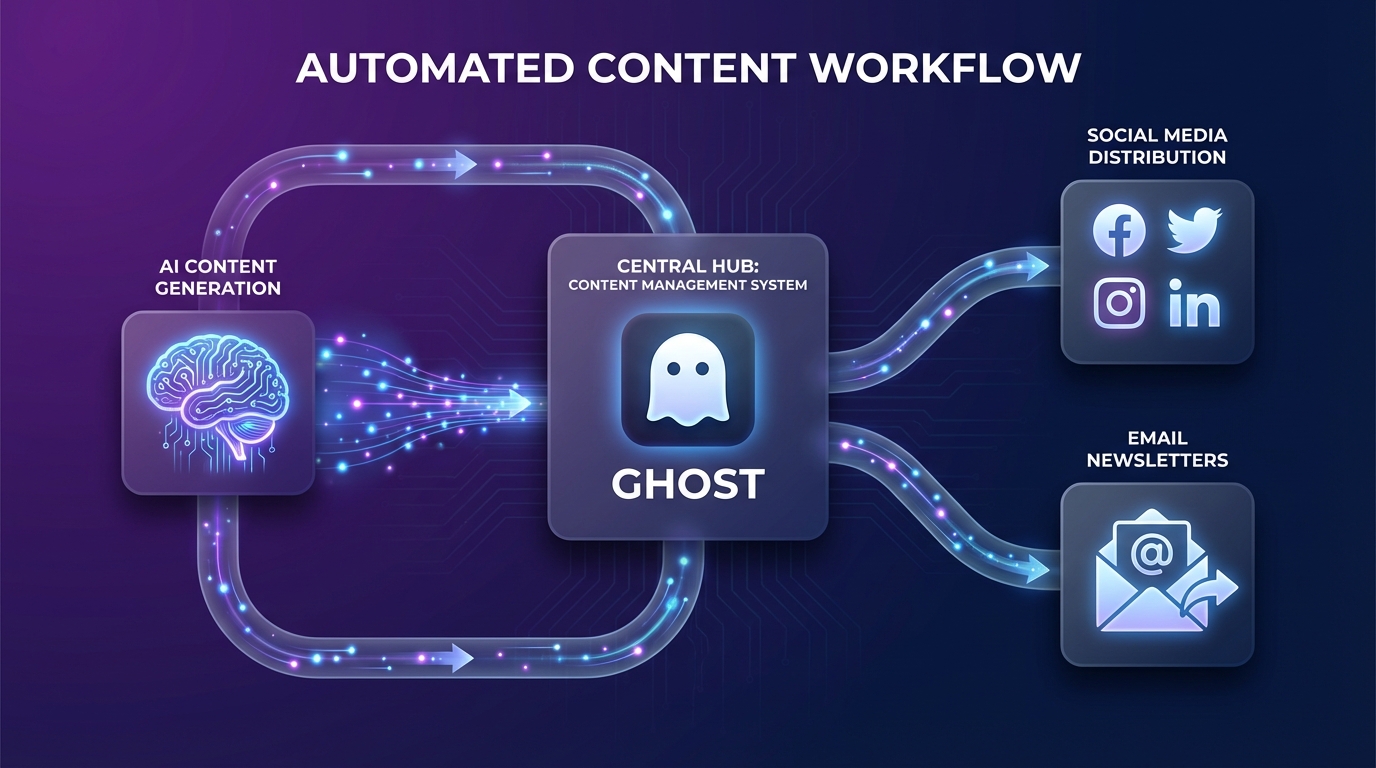
Let’s build a practical automation that generates and publishes a blog post to Ghost using AI. This example uses OpenAI for content generation and the Ghost Admin API for publishing.
Prerequisites
- Ghost installation (self-hosted or Ghost(Pro))
- Node.js 18+ installed
- OpenAI API key
- Ghost Admin API key
Step 1: Project Setup
Create a new Node.js project:
mkdir ghost-ai-automationcd ghost-ai-automationnpm init -ynpm install @tryghost/admin-api openai dotenvCreate a .env file with your credentials:
GHOST_API_URL=https://yourdomain.comGHOST_ADMIN_API_KEY=your_admin_api_keyOPENAI_API_KEY=your_openai_api_keyStep 2: Initialize API Clients
Create publish.js:
import GhostAdminAPI from '@tryghost/admin-api';import OpenAI from 'openai';import 'dotenv/config';
// Initialize Ghost Admin APIconst api = new GhostAdminAPI({  url: process.env.GHOST_API_URL,  key: process.env.GHOST_ADMIN_API_KEY,  version: "v5.0"});
// Initialize OpenAIconst openai = new OpenAI({  apiKey: process.env.OPENAI_API_KEY});
console.log('APIs initialized successfully');
Step 3: Generate Content with AI
Add the content generation function:
async function generateArticle(topic, keywords) {  const prompt = `Write a comprehensive 800-word blog post about "${topic}".
Include these keywords naturally: ${keywords.join(', ')}
Structure:- Engaging introduction (100 words)- 3-4 main sections with subheadings- Practical examples- Conclusion with call-to-action
Write in a conversational yet professional tone.`;
  const completion = await openai.chat.completions.create({    model: "gpt-4",    messages: [      {        role: "system",        content: "You are an expert content writer specializing in SEO-optimized blog posts."      },      { role: "user", content: prompt }    ],    temperature: 0.7,  });
  return completion.choices[0].message.content;}
Step 4: Create Meta Information
Generate SEO metadata:
async function generateMeta(content) {  // Extract title (first line or heading)  const titleMatch = content.match(/^#\s+(.+)$/m);  const title = titleMatch ? titleMatch[1] : "Untitled Post";
  // Generate meta description with AI  const metaPrompt = `Write a compelling 150-character meta description for this article:\n\n${content.slice(0, 500)}...`;
  const metaCompletion = await openai.chat.completions.create({    model: "gpt-3.5-turbo",    messages: [{ role: "user", content: metaPrompt }],    max_tokens: 60,  });
  return {    title,    metaDescription: metaCompletion.choices[0].message.content  };}
Step 5: Publish to Ghost
Create the publishing function:
async function publishToGhost(content, meta, tags = []) {  try {    // Convert markdown to HTML if needed    // (Ghost accepts both, but HTML gives more control)
    const post = await api.posts.add({      title: meta.title,      html: content,      meta_description: meta.metaDescription,      tags: tags.map(tag => ({ name: tag })),      status: 'draft', // Change to 'published' to publish immediately      featured: false,    }, {      source: 'html'    });
    console.log(`Post created successfully: ${post.url}`);    return post;  } catch (error) {    console.error('Error publishing to Ghost:', error);    throw error;  }}
Step 6: Orchestrate the Workflow
Tie everything together:
async function automateContentCreation(topic, keywords, tags) {  console.log(`Starting automated content creation for: ${topic}`);
  // Step 1: Generate content  console.log('Generating article content...');  const content = await generateArticle(topic, keywords);
  // Step 2: Generate metadata  console.log('Generating metadata...');  const meta = await generateMeta(content);
  // Step 3: Publish to Ghost  console.log('Publishing to Ghost...');  const post = await publishToGhost(content, meta, tags);
  console.log('Automation complete!');  return post;}
// Execute the automationautomateContentCreation(  "The Future of AI in Content Marketing",  ["AI content", "content marketing", "automation", "SEO"],  ["AI", "Marketing", "SEO"]).catch(console.error);
Step 7: Run Your Automation
Execute the script:
node publish.jsYour AI-generated article will appear as a draft in Ghost Admin. Review it, make any necessary edits, and publish when ready.
Automation Platforms: Zapier vs Make.com vs MCP
While custom code offers maximum flexibility, no-code automation platforms accelerate deployment and reduce maintenance burden. Here’s how the top three options compare.
Zapier: Easiest Setup
Zapier’s official Ghost integration provides the smoothest onboarding experience. Available triggers include:
- New Post Published: Fires when a post goes live
- New Member Added: Triggers when someone subscribes
- Member Updated: Detects changes to member data
- New Page Published: Monitors new page creation
- Member Deleted: Tracks unsubscribes
Common Workflows:
-
Social Media Automation: When a new post publishes, automatically share it to Twitter, LinkedIn, and Facebook with customized messaging for each platform.
-
Newsletter Sync: Add new Ghost members to your Mailchimp or ConvertKit lists automatically, maintaining a single source of truth for your email audience.
-
Content Backup: Save every published post to Google Docs or Notion, creating an automatic backup and making content accessible to team members who don’t have Ghost access.
-
Slack Notifications: Alert your team in Slack whenever a new post publishes, complete with title, author, and a direct link.
Pricing: Free plan includes 100 tasks/month. Paid plans start at $19.99/month for 750 tasks.
Limitation: Zapier can only create members and posts—you can’t update existing content or manage other Ghost resources like tags or pages.
Make.com: Advanced Logic
Make.com’s Ghost integration provides more control over workflow logic with visual scenario building. For a deep dive into Make.com automation, see our complete guide on building AI content workflows with Make.com.
Unique Capabilities:
- Conditional Branching: Execute different actions based on post content, tags, or custom fields
- Iterators: Process arrays of data (e.g., bulk tag creation)
- Error Handling: Build retry logic and fallback actions
- Multi-Step Transforms: Manipulate data between steps without custom code
Advanced Modules:
- Create and delete members
- Create, update, and delete posts
- Search posts by criteria (author, tag, keyword)
- List posts with filters
Example Scenario: When a new post publishes with the “AI” tag, extract key insights using OpenAI, create a LinkedIn-optimized version, post it via LinkedIn API, then update the Ghost post with a “Shared to LinkedIn” internal tag.
Pricing: Free plan includes 1,000 operations/month. Paid plans start at $9/month for 10,000 operations.
Model Context Protocol (MCP): The Future
MCP servers for Ghost represent a paradigm shift in content automation. Instead of configuring workflows visually or in code, you instruct an AI assistant in natural language.
How It Works:
- Install the Ghost MCP server in your AI assistant (Claude Desktop, Cursor, etc.)
- Configure it with your Ghost Admin API credentials
- Issue commands conversationally
Example Commands:
- “Create a new draft post titled ‘AI Writing Tools’ tagged with SEO and AI”
- “Find all posts published last week and add them to a new email newsletter”
- “Update the featured image on my latest post about content marketing”
- “Show me all members who joined this month”
Advantages:
- Zero Configuration UI: No visual workflow builder or code editor needed
- Natural Language: Works how you think, not how automation platforms think
- Context Aware: AI understands relationships between resources (e.g., “add the top author from last month to the byline”)
- Rapid Iteration: Modify workflows by simply asking differently
Current Limitation: MCP requires compatible AI assistants (Claude Desktop, some VS Code extensions). Not yet integrated with ChatGPT or Bard.
| Platform | Setup Time | Learning Curve | Flexibility | Best For |
|---|---|---|---|---|
| Zapier | 5 minutes | Minimal | Limited | Simple triggers, social sharing |
| Make.com | 15 minutes | Moderate | High | Complex logic, multi-step workflows |
| MCP | 10 minutes | Minimal | Very High | Conversational automation, rapid changes |
Real-World Workflow Examples
Theory meets practice. Here are battle-tested automation workflows used by successful Ghost publishers.
Workflow 1: AI Content Research to Publication
Problem: Creating comprehensive, well-researched articles takes 6-8 hours per post.
Solution: Automated research pipeline that cuts production time to 2 hours of editing and refinement.
Tech Stack: Make.com + Perplexity AI + OpenAI + Ghost
Process:
- Research Phase: Make.com triggers Perplexity AI to research topic and gather sources
- Outline Generation: Feed research summary to GPT-4 to create detailed outline
- Content Creation: Generate section-by-section content with specific context per section
- Image Generation: Create featured image via DALL-E or Midjourney API
- Publishing: Create Ghost draft with all metadata, tags, and featured image
- Notification: Alert editorial team in Slack for review
Key Insight: Breaking content creation into research → outline → sections produces higher quality than single-prompt generation.
Workflow 2: YouTube to Blog Post Automation
Problem: You create video content but struggle to maintain an active blog.
Solution: Automated Ghost post creation from YouTube videos.
Tech Stack: Activepieces + YouTube API + OpenAI + Ghost
Process:
- Trigger: New video published on your YouTube channel
- Transcript Extraction: Pull video transcript via YouTube API
- Article Generation: Transform transcript into blog post format with OpenAI
- SEO Optimization: Generate title, meta description, and tags based on video content
- Video Embed: Create Ghost post with embedded YouTube video at the top
- Auto-Publish: Publish immediately or save as draft based on channel settings
Result: Every video automatically gets a corresponding blog post, improving SEO and discoverability.
Workflow 3: Content Repurposing Engine
Problem: Published content sits idle after launch, missing opportunities for extended reach.
Solution: Automated repurposing that transforms each blog post into 5+ content assets.
Tech Stack: Zapier + OpenAI + Buffer + Ghost
Process:
- Trigger: New Ghost post published
- Extract Key Points: Use OpenAI to identify 3-5 main takeaways
- Generate Assets:
- Twitter thread (10-15 tweets)
- LinkedIn long-form post
- 5 quote graphics (text only, designed for Canva)
- Email newsletter version
- Medium crosspost with canonical URL
- Schedule Distribution: Queue social posts in Buffer over 2 weeks
- Update Ghost Post: Add “Shared to” tags tracking distribution
Time Savings: What previously took 2 hours of manual work per post now runs automatically.
Workflow 4: Member Engagement Automation
Problem: New members receive no onboarding, leading to low engagement and high churn.
Solution: Automated welcome sequence with personalized content recommendations.
Tech Stack: Zapier + Ghost + ConvertKit + OpenAI
Process:
- Trigger: New member added to Ghost
- Member Profile: Capture signup source, initial subscription tier, and referring URL
- Content Recommendation: Query Ghost Content API for relevant posts based on member interests
- Personalized Email: Generate welcome email via OpenAI with custom recommendations
- Add to Email Sequence: Subscribe member to appropriate ConvertKit sequence based on tier
- Track Engagement: Monitor email opens and link clicks, feed back to Ghost member metadata
Impact: 40% improvement in new member engagement rate in first 30 days.
Ghost vs WordPress for AI Automation
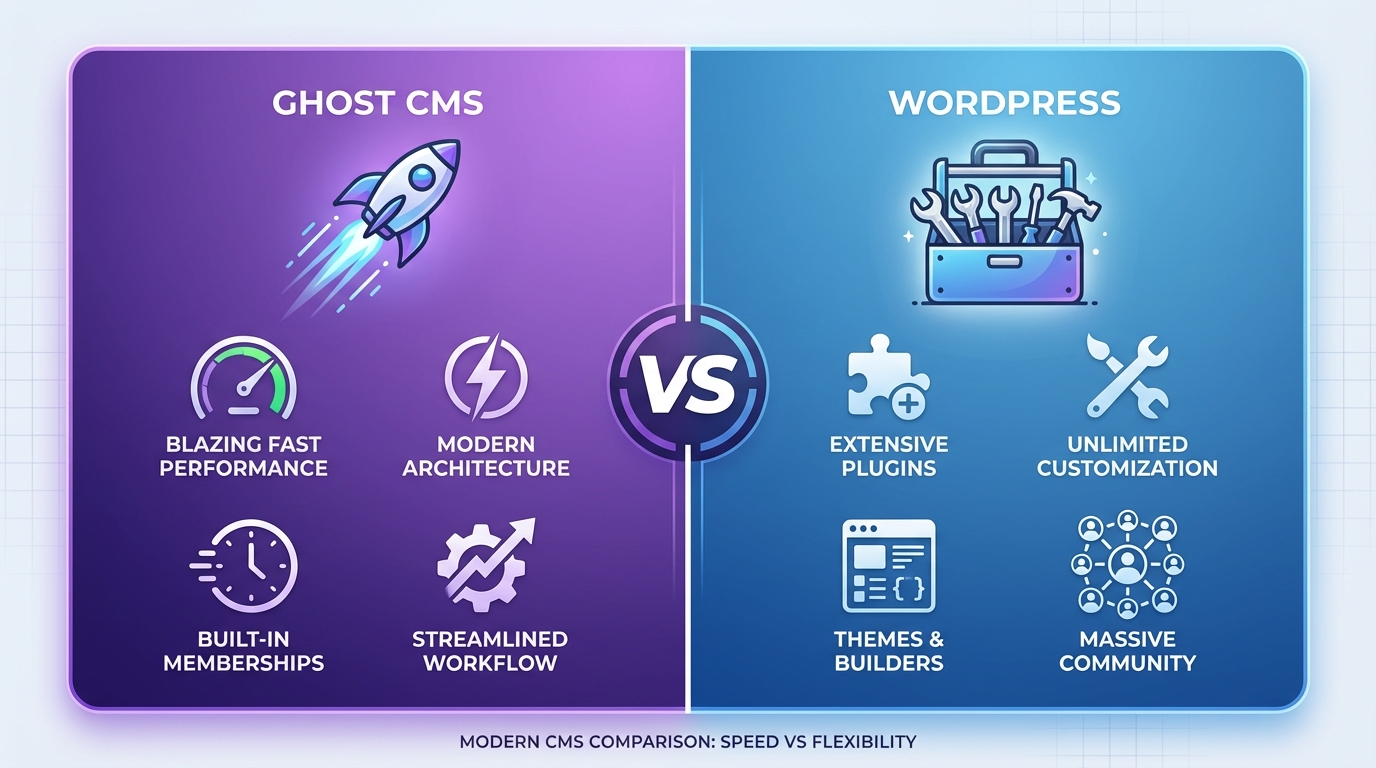
The CMS you choose fundamentally impacts your automation capabilities. Here’s an honest comparison based on real-world implementation.
Performance and Speed
Ghost Advantages:
- Node.js architecture delivers inherently faster execution
- Minimal overhead means API requests complete in milliseconds
- 90+ PageSpeed scores without optimization
- Static rendering approach reduces server load
WordPress Challenges:
- PHP execution layer adds latency to every request
- Plugin conflicts can break automations unexpectedly
- Resource-intensive at scale (requires caching layers)
- API responses slower due to database query complexity
Winner: Ghost for performance-critical automations
API Design and Developer Experience
Ghost Advantages:
- Clean, modern RESTful API design
- Comprehensive documentation with interactive examples
- Consistent response formats across all endpoints
- Built-in authentication flow using JWT tokens
- Official SDKs for JavaScript, Ruby, Python
WordPress Challenges:
- REST API bolted onto existing architecture
- Inconsistent endpoint design across core vs plugins
- Authentication more complex (multiple methods, security concerns)
- Many plugins don’t expose REST endpoints
Winner: Ghost for developer experience and API consistency
Integration Ecosystem
WordPress Advantages:
- Massive plugin ecosystem (60,000+ plugins)
- More automation platform integrations
- Established third-party tools and services
- Extensive community support and tutorials
Ghost Challenges:
- Smaller integration ecosystem
- Fewer off-the-shelf solutions
- Sometimes requires custom development
- Less community content on advanced topics
Winner: WordPress for plug-and-play integrations
Content Model Flexibility
WordPress Advantages:
- Custom post types enable complex content structures
- Advanced Custom Fields for metadata management
- Taxonomy flexibility (categories, tags, custom taxonomies)
- WooCommerce for e-commerce content
Ghost Challenges:
- Opinionated content model (posts, pages, members)
- Limited custom field support
- Less flexibility for non-publishing use cases
- No native e-commerce functionality
Winner: WordPress for complex content requirements
AI-Specific Considerations
Ghost Advantages:
- Modern JavaScript ecosystem integrates naturally with AI services
- MCP server support for conversational automation
- Faster API responses improve AI workflow performance
- Less maintenance overhead allows focus on content strategy
WordPress Advantages:
- More AI plugins available (though many are low-quality)
- Larger community experimenting with AI integrations
- Established SEO plugins work with AI-generated content
Winner: Ghost for modern AI workflows
Cost at Scale
Ghost Costs:
- Ghost(Pro): $11/month (starter) to $249/month (business)
- Self-hosted: $5-20/month VPS + time investment
- API usage: Unlimited (included in hosting)
WordPress Costs:
- Hosting: $3-100+/month depending on traffic
- Premium plugins: $50-500/year for quality tools
- Maintenance: More time spent troubleshooting
- API usage: Unlimited (included)
Winner: Depends on scale and technical capability
Advanced Automation Strategies
Once you’ve mastered basic workflows, these advanced strategies unlock even greater efficiency.
Dynamic Content Personalization
Use Ghost’s member data to personalize content automatically:
// Fetch member dataconst member = await api.members.read({ id: memberId });
// Generate personalized content based on member tierconst personalizedContent = await openai.chat.completions.create({  model: "gpt-4",  messages: [{    role: "user",    content: `Create a personalized welcome message for a ${member.tier} subscriber interested in ${member.tags.join(', ')}`  }]});
// Update member note with personalized onboardingawait api.members.edit({  id: memberId,  note: personalizedContent.choices[0].message.content});
Bulk Content Operations
Update multiple posts simultaneously using Ghost’s bulk capabilities:
// Find all posts with outdated informationconst posts = await api.posts.browse({  filter: 'tag:update-needed',  limit: 'all'});
// Update each post with AI-refreshed contentfor (const post of posts) {  const updatedContent = await refreshContent(post.html);
  await api.posts.edit({    id: post.id,    html: updatedContent,    updated_at: new Date().toISOString()  });
  console.log(`Updated: ${post.title}`);}
Intelligent Content Scheduling
Determine optimal publish times using analytics data:
// Analyze your best-performing publish timesconst analytics = await analyzePublishTimes(); // Your analytics integration
// Schedule AI-generated post at optimal timeconst optimalTime = analytics.bestPublishTime;
await api.posts.add({  title: generatedTitle,  html: generatedContent,  status: 'scheduled',  published_at: optimalTime.toISOString()});
Multi-Language Content Generation
Automate translation workflows for international audiences:
// Original English postconst originalPost = await api.posts.read({ id: postId });
// Generate Spanish versionconst translatedContent = await openai.chat.completions.create({  model: "gpt-4",  messages: [{    role: "user",    content: `Translate this blog post to Spanish, maintaining SEO quality:\n\n${originalPost.html}`  }]});
// Publish as new post with language tagawait api.posts.add({  title: `${originalPost.title} (Español)`,  html: translatedContent.choices[0].message.content,  tags: [{ name: 'es' }, ...originalPost.tags],  canonical_url: originalPost.url // Link back to original});
Security and Best Practices
Automation introduces new security considerations. Protect your Ghost installation with these practices.
API Key Management
Never Expose Keys in Code:
// ❌ BAD - Keys in source codeconst api = new GhostAdminAPI({  url: 'https://myblog.com',  key: '65e8f2c4d1b3a7e9f0c1d2e3...' // DON'T DO THIS});
// ✅ GOOD - Environment variablesconst api = new GhostAdminAPI({  url: process.env.GHOST_API_URL,  key: process.env.GHOST_ADMIN_API_KEY});
Rotate Keys Regularly: Generate new API keys every 90 days. In Ghost Admin, delete old integrations and create new ones.
Separate Keys by Purpose: Create different Custom Integrations for different automations. If one key is compromised, you can revoke it without breaking other workflows.
Content Validation
Always validate AI-generated content before publishing:
async function validateContent(content) {  const checks = {    minLength: content.length >= 500,    hasHeadings: /<h[1-6]>/.test(content),    hasLinks: /<a href=/.test(content),    notTooSimilar: await checkPlagiarism(content)  };
  return Object.values(checks).every(check => check);}
// Only publish if validation passesif (await validateContent(generatedContent)) {  await publishToGhost(generatedContent);} else {  console.error('Content failed validation checks');}
Rate Limiting
Respect Ghost’s API rate limits to avoid throttling:
import pThrottle from 'p-throttle';
// Limit to 10 requests per secondconst throttle = pThrottle({  limit: 10,  interval: 1000});
const throttledPublish = throttle(async (content) => {  return await api.posts.add(content);});
// Safely publish multiple postsfor (const post of posts) {  await throttledPublish(post);}
Error Handling
Build resilient automations with proper error handling:
async function publishWithRetry(content, maxRetries = 3) {  for (let attempt = 1; attempt <= maxRetries; attempt++) {    try {      const post = await api.posts.add(content);      console.log(`Published successfully: ${post.url}`);      return post;    } catch (error) {      console.error(`Attempt ${attempt} failed:`, error.message);
      if (attempt === maxRetries) {        // Final attempt failed - notify team        await sendAlert(`Failed to publish after ${maxRetries} attempts`);        throw error;      }
      // Wait before retrying (exponential backoff)      await sleep(1000 * Math.pow(2, attempt));    }  }}
Monitoring and Logging
Track automation performance and catch issues early:
// Log all automation eventsconst logger = {  info: (message, meta) => {    console.log(JSON.stringify({      level: 'info',      message,      timestamp: new Date().toISOString(),      ...meta    }));  },  error: (message, error) => {    console.error(JSON.stringify({      level: 'error',      message,      error: error.message,      stack: error.stack,      timestamp: new Date().toISOString()    }));  }};
// Use throughout your automationlogger.info('Starting content generation', { topic, keywords });logger.error('Failed to publish', error);Troubleshooting Common Issues
Even well-designed automations encounter problems. Here’s how to diagnose and fix the most common issues.
”Unauthorized” API Errors
Symptom: 401 or 403 errors when calling Ghost Admin API
Common Causes:
- Expired JWT token (tokens valid for 5 minutes)
- Incorrect API key format
- Wrong API version specified
Solution:
// Ensure you're generating fresh tokensimport jwt from 'jsonwebtoken';
const [id, secret] = process.env.GHOST_ADMIN_API_KEY.split(':');
// Token expires in 5 minutesconst token = jwt.sign({}, Buffer.from(secret, 'hex'), {  keyid: id,  algorithm: 'HS256',  expiresIn: '5m',  audience: '/admin/'});
// Use fresh token for each requestconst api = new GhostAdminAPI({  url: process.env.GHOST_API_URL,  key: process.env.GHOST_ADMIN_API_KEY,  version: 'v5.0'});
Posts Not Appearing After Creation
Symptom: API call succeeds but post doesn’t show in Ghost Admin
Common Causes:
- Post created with ‘draft’ status on different author account
- Filters in Ghost Admin hiding the post
- Caching issue in Ghost
Solution:
// Explicitly set status and authorconst post = await api.posts.add({  title: title,  html: content,  status: 'draft', // or 'published'  authors: [{ id: 'your-author-id' }] // Specify author explicitly});
// Verify creationconsole.log(`Post created: ${post.url}`);console.log(`Post ID: ${post.id}`);console.log(`Status: ${post.status}`);
Image Upload Failures
Symptom: Featured images fail to attach to posts
Common Causes:
- Image URL not publicly accessible
- Unsupported image format
- File size too large (max 5MB in most Ghost installations)
Solution:
import FormData from 'form-data';import fs from 'fs';
// Upload image to Ghost firstconst form = new FormData();form.append('file', fs.createReadStream('image.jpg'));
const uploadResponse = await fetch(`${process.env.GHOST_API_URL}/images/upload/`, {  method: 'POST',  headers: {    'Authorization': `Ghost ${token}`  },  body: form});
const imageData = await uploadResponse.json();
// Then attach to postawait api.posts.edit({  id: postId,  feature_image: imageData.images[0].url});
Automation Running Too Slowly
Symptom: Workflows take minutes instead of seconds
Common Causes:
- Sequential API calls instead of parallel
- Unnecessary API requests
- Large AI model responses
Solution:
// ❌ SLOW - Sequentialconst post1 = await createPost(content1);const post2 = await createPost(content2);const post3 = await createPost(content3);
// ✅ FAST - Parallelconst [post1, post2, post3] = await Promise.all([ createPost(content1), createPost(content2), createPost(content3)]);Next Steps: Scaling Your Automation
You’ve built your first automated workflows. Here’s how to level up:
-
Implement Analytics Tracking: Connect Google Analytics or Plausible to measure which automated content performs best. Use these insights to refine your AI prompts and content strategy.
-
Build a Content Calendar Integration: Connect your project management tool (Notion, Airtable, Monday) to Ghost. Automatically generate posts based on scheduled content calendar entries.
-
Create a Feedback Loop: Track engagement metrics (views, time on page, conversions) and feed them back into your AI content generation prompts to continuously improve output quality.
-
Establish a Review Workflow: Implement a system where AI-generated drafts automatically get assigned to editors for review before publication. Use Ghost’s internal tags and member roles for access control.
-
Experiment with Different AI Models: Test GPT-4, Claude, Gemini, and specialized models to find which produces the best content for your audience and use case.
Automate Your Ghost Content with Suparank
Suparank provides AI-powered content automation for Ghost CMS out of the box. Generate, optimize, and publish SEO-friendly content directly to your Ghost site—no coding required.
Conclusion
Ghost CMS combined with AI automation represents the future of content publishing. The platform’s modern architecture, clean API design, and performance-first approach make it ideal for teams that want to scale content production without sacrificing quality or speed.
Whether you’re using no-code platforms like Zapier, building custom workflows with the Ghost Admin API, or leveraging cutting-edge MCP servers for conversational automation, Ghost provides the foundation for sophisticated content operations.
The key to successful automation isn’t replacing human creativity—it’s eliminating repetitive tasks so your team can focus on strategy, quality, and audience connection. Start with simple workflows, measure results, and iterate based on what works for your unique content goals.
The content landscape is evolving rapidly. Publishers who embrace automation now will have a significant competitive advantage as AI capabilities continue to advance. Your automated Ghost workflow is just the beginning. For a step-by-step approach to building your first workflow, explore our guide on setting up your AI blog writing workflow.
Sources:
- AI for Ghost CMS: Unlocking Content Creation Possibilities
- Integrate AI with Ghost CMS: Enhance Blogging & SEO
- Ghost Content API Documentation
- Ghost CMS MCP Server
- Ghost + Zapier Official Integration
- Make.com Ghost Integration
- Ghost vs WordPress Performance Comparison
- Automating GhostCMS Post Creation from YouTube Videos
- Ghost Admin API MCP Server Guide
Frequently Asked Questions
Can Ghost CMS integrate with AI writing tools?
How do I use the Ghost Admin API for content automation?
Is Ghost better than WordPress for AI content automation?
What are the best automation platforms for Ghost CMS?
Tags
More articles
Building AI Content Workflows with Make.com: Complete Guide
Learn how to build automated AI content workflows using Make.com. Step-by-step guide to integrating OpenAI, Claude, WordPress, and Ghost for automated content creation.

Claude MCP vs ChatGPT for Content Creation: Which is Better in 2026?
Compare Claude's Model Context Protocol with ChatGPT's GPTs for content creation. Feature-by-feature analysis, pricing breakdown, and use case recommendations.

MCP Tools for Automated Blog Writing: Complete Setup Guide
Learn how to set up MCP (Model Context Protocol) tools for automated blog writing with Claude Desktop, Cursor, and ChatGPT. Step-by-step tutorial with code examples and best practices.